Your first TrafficJunky campaign doesn’t have to be complicated or overwhelming. With 6.4 Billion daily ad impressions worldwide, engaged audiences, and conversion-focused ad placements, TrafficJunky gives advertisers a powerful testing ground from day one.
Not sure how to set up your first campaign?
Here are our campaign setting recommendations for making the most of your first test campaign:
- Step 1: Target Mobile or All devices, but avoid Desktop only campaigns for your first test campaign
- Ad Format: Display
- Format Type: Banner
- Ad Type: Static Banner
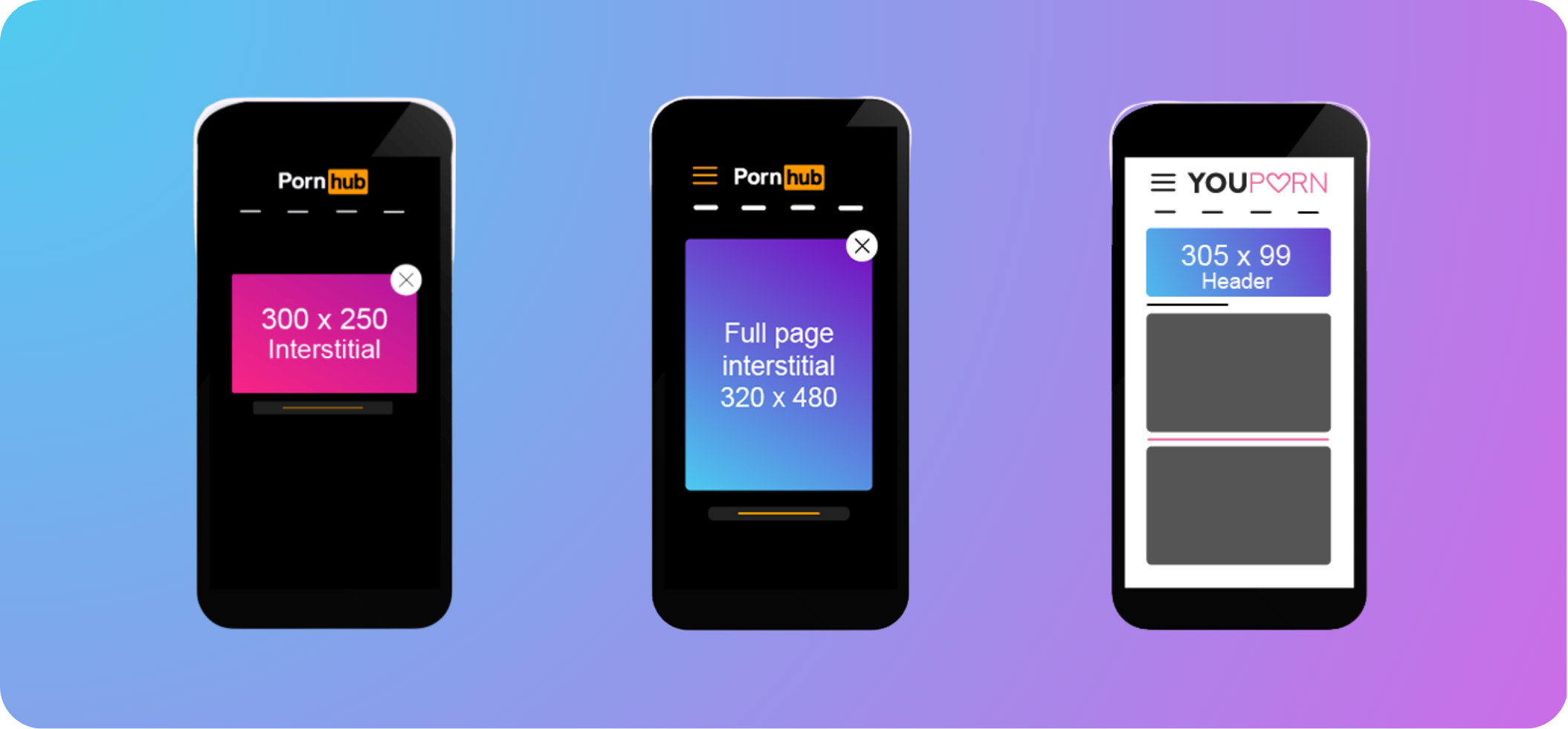
- Ad Dimensions: Choose either 300×100 or 320×480
- Step 2: Select no more than 2 countries to geo-target
- You can use Keyword Targeting, but we recommend you wait to use the advanced targeting features until you start optimizing your campaign
- Step 3: Manually select your Target Sources (aka where your traffic will come from)
- If you chose 300×100 in Step 1, go for Pornhub Mobile Header
- If you chose 320×480, go for Pornhub Mobile Fullpage Interstitial
- We recommend turning Automatic Bidding on. If you prefer to manually adjust your bids, leave this off.
- Step 4: Leave the rest of your campaign on default settings, or opt to set up your custom campaign schedule and frequency capping
- Step 5: Add 1 to 3 creatives from your Media Library, set your Target URL(s), and hit Create Ad(s)
- Don’t have creatives that match the size of the ad placement you chose in step 1? No stress, upload what you have and the Creative Resizer tool will help you resize it on the fly.
- Hit Finish Campaign, and you’re live! Keep an eye on your analytics and watch the impressions roll in.
It’s as easy as that
Hungry for results? Let’s take it a step further:
Once your first campaign is live, advanced targeting and optimization tools seal the deal with everything you need to boost your campaigns, gather performance data, and scale with confidence.
- We encourage you to set up Conversion Trackers ASAP. Not only will this supercharge our algorithm to deliver the best traffic possible, but it will unlock performance driven optimization tools.
> How to Set Up Conversion Trackers on TrafficJunky - Start scaling your campaign in as little as 24 hours. Audience Segment Insights tells you exactly where your clicks and conversions are coming from.
> Learn more about Audience Segment Insights - Although the Mobile Header (300×100) and Full Page Interstitial (320×480) are reliable ad placements for maximizing impressions, they’re far from the only ad placements available.
> See all of the TrafficJunky Ad Placements - Have any questions or want a human to help you set up your first campaign? Contact us and someone from the team can help you get started!
Ready to meet your new customers? They’re just a few clicks away